

Get Started in 3 Steps
Learn how to get started with the Finterion platform in 3 easy steps. From purchasing an algorithm to activating your portfolio.

Marc van Duyn
•
2025-06-15
Get started in 3 steps
In this article we explain how you can get started with the platform in 3 easy steps.
A. Purchase an investing algorithm from the store
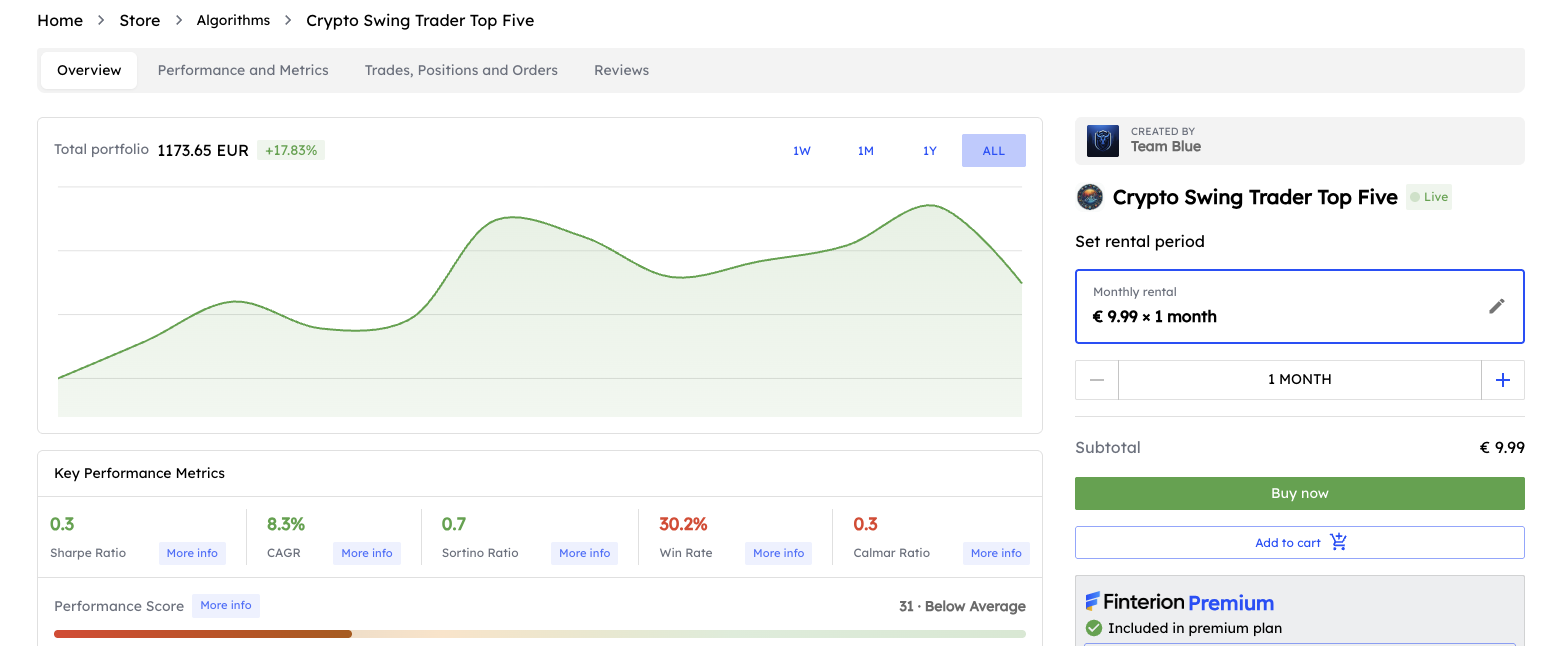
The first step is to find and purchase an investing algorithm that matches your investment goals. Head over to our algorithm store to browse through the available options.
Browse and select an algorithm
Each algorithm in our store comes with detailed information to help you make an informed decision. You'll find key metrics like historical performance, supported exchanges, risk levels, and the trading strategy employed. Take your time to explore different algorithms and find one that aligns with your investment style and risk tolerance.
Choose your rental period
Once you've found an algorithm you'd like to use, it's time to select a rental period. We offer flexible pay-as-you-go pricing, allowing you to rent algorithms for the duration that suits your needs—whether that's a few days to test it out, or several months for longer-term investing.
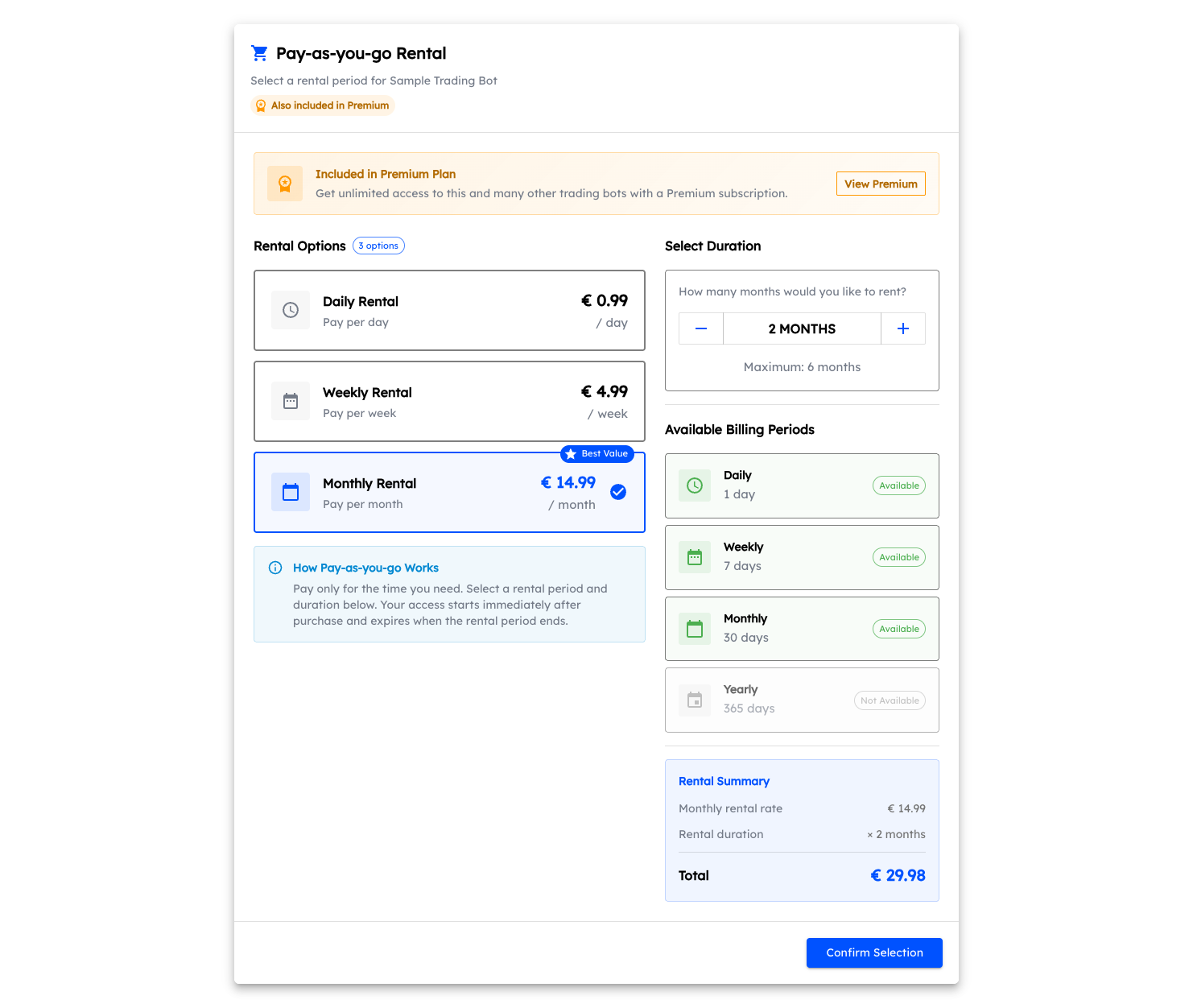
The pricing selector displays all available rental options. You can choose between different billing periods (daily, weekly, or monthly) and select how long you want to rent the algorithm. The total cost is calculated automatically based on your selections.
Good to know: Many algorithms are also included in our Premium subscription plan. If an algorithm is part of Premium, you'll see a banner in the pricing selector letting you know. This gives you the flexibility to either pay-as-you-go or subscribe to Premium for unlimited access to multiple algorithms.
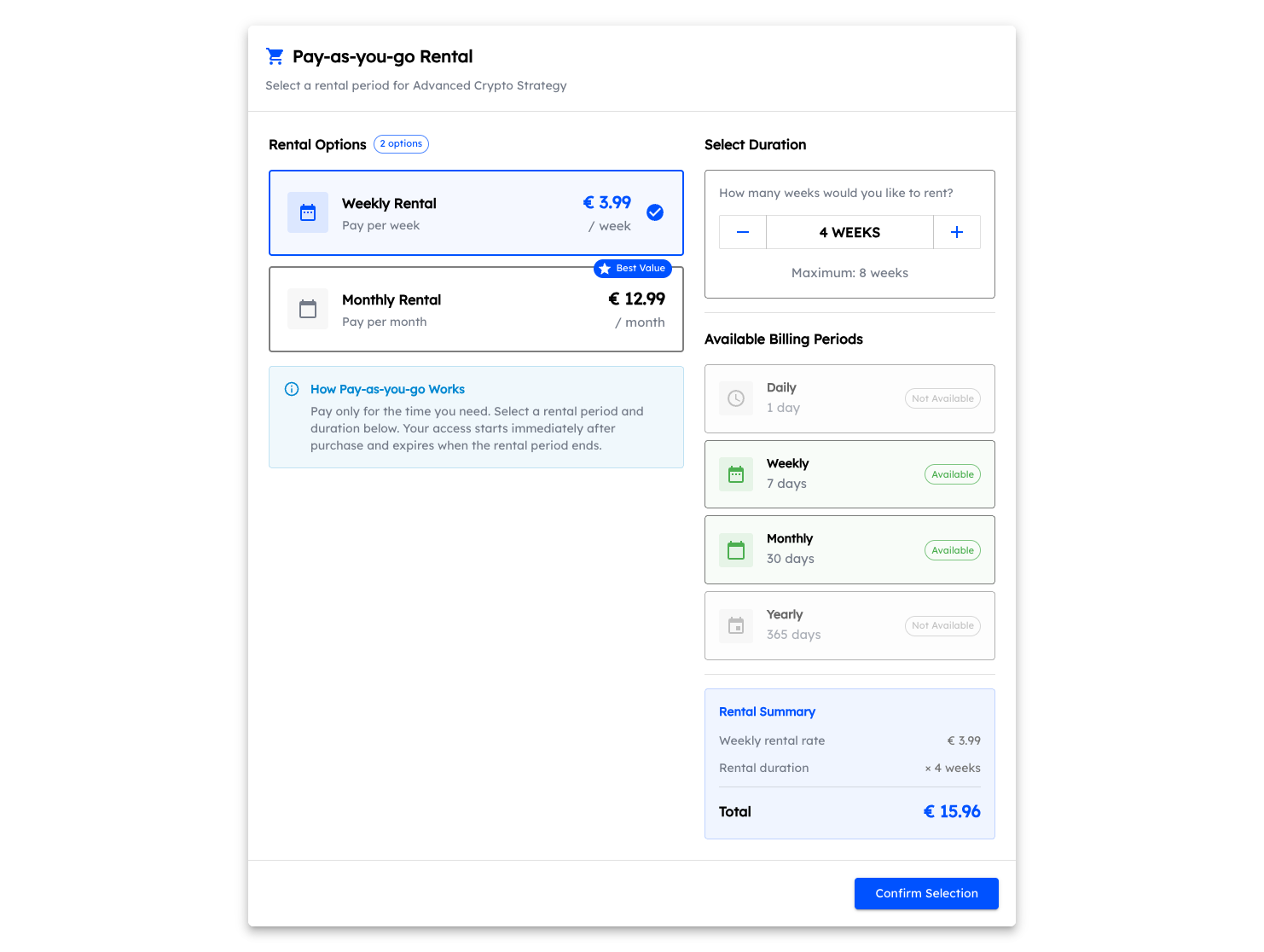
After completing your purchase, the algorithm will appear in your dashboard, ready to be connected to your exchange account.
B. Connect your broker or exchange
The algorithm specifies which brokers and exchanges are compatible. In your dashboard, you'll need to connect a compatible broker or exchange to your finterion account.
Before connecting, make sure you have an active account with the broker or exchange you want to use, and that it supports API access. You need to make sure that your api keys or credentials have the necessary permissions to execute trades on your behalf.
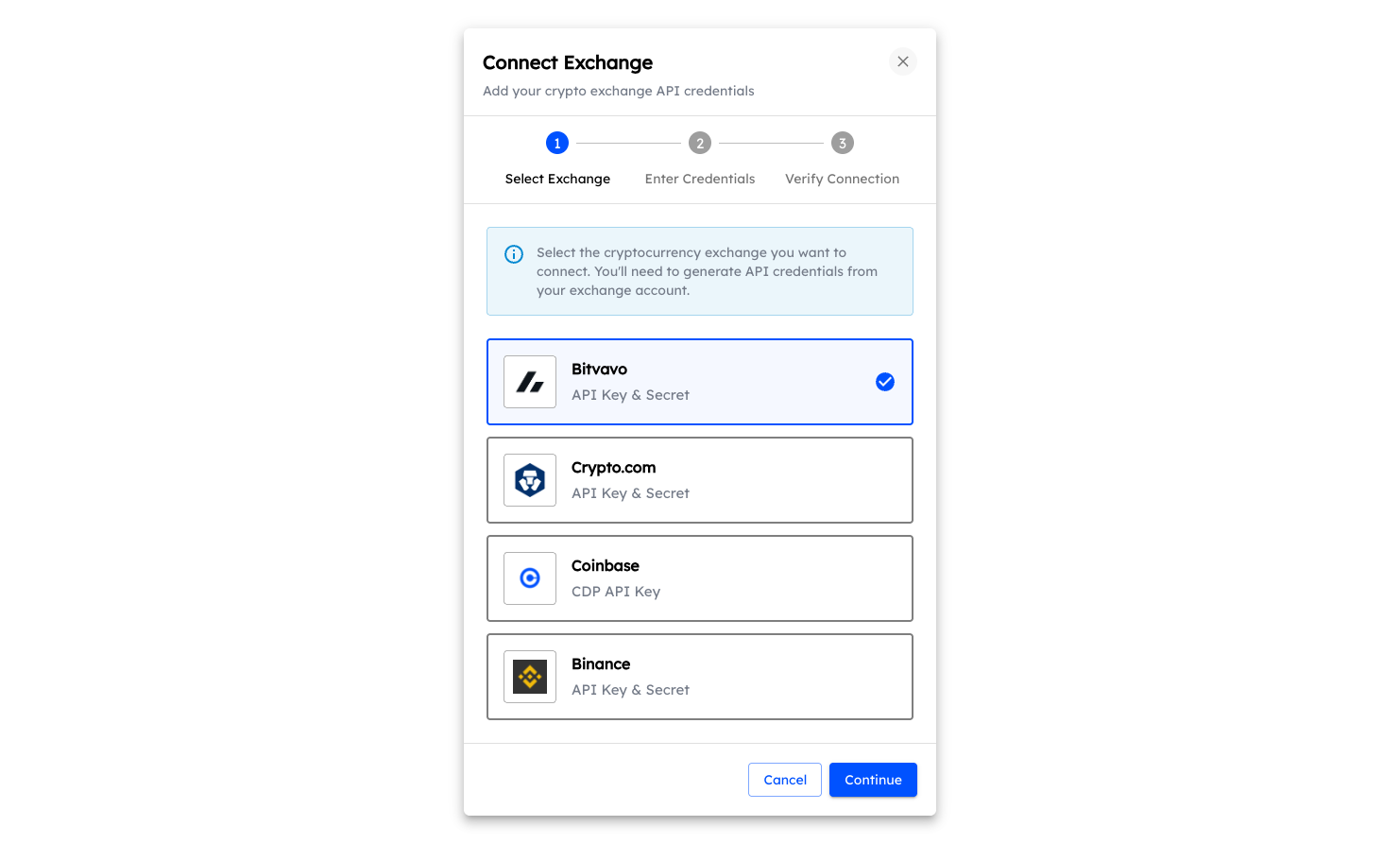
Step 1: Select your exchange
Choose your broker or exchange from the list of supported platforms.
Step 2: Enter your credentials
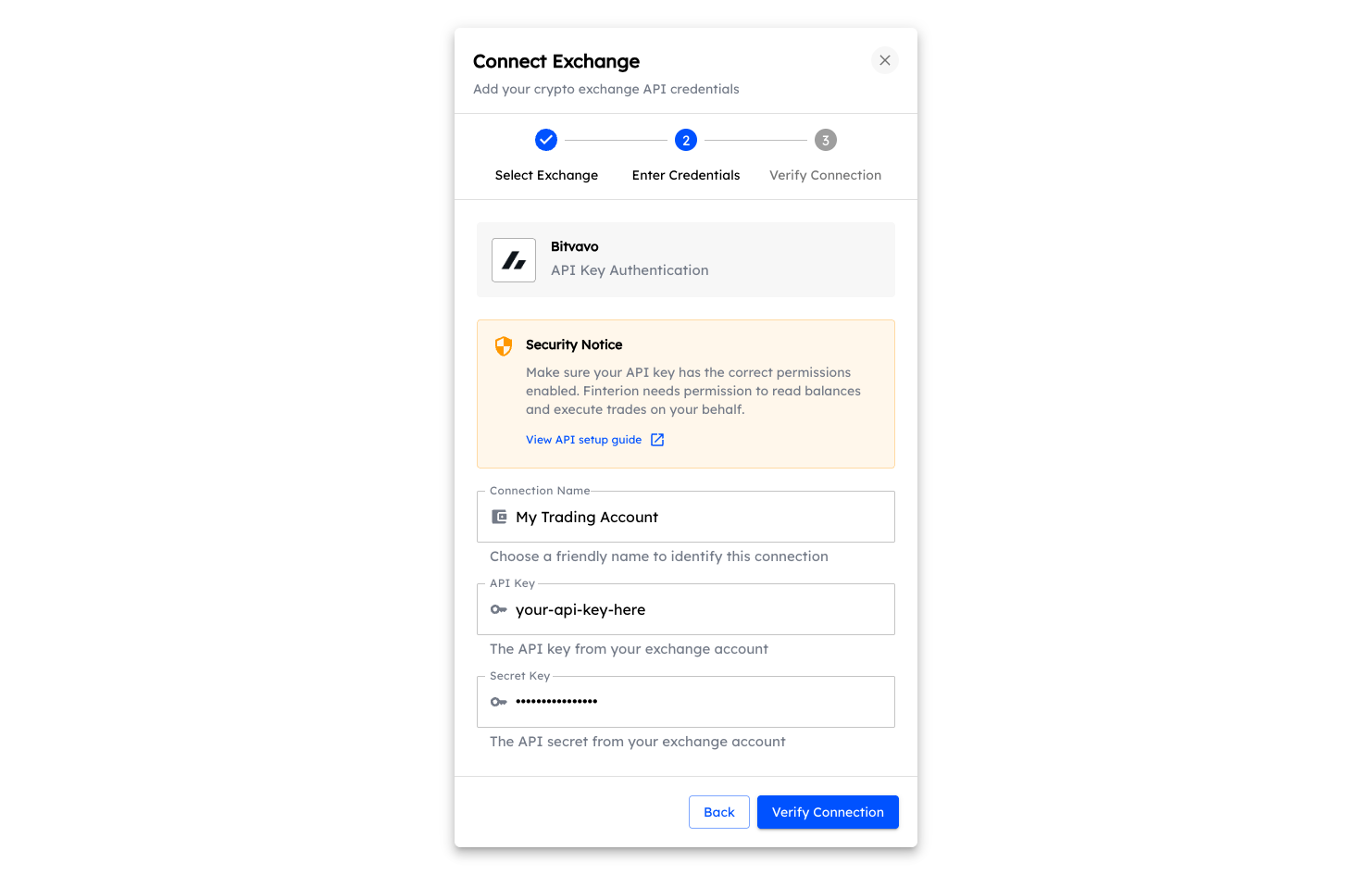
Depending on your chosen platform, you'll need to provide your API credentials. This can be done via API key and secret, or through other authentication methods.
API Key Authentication:
EC Private Key Authentication
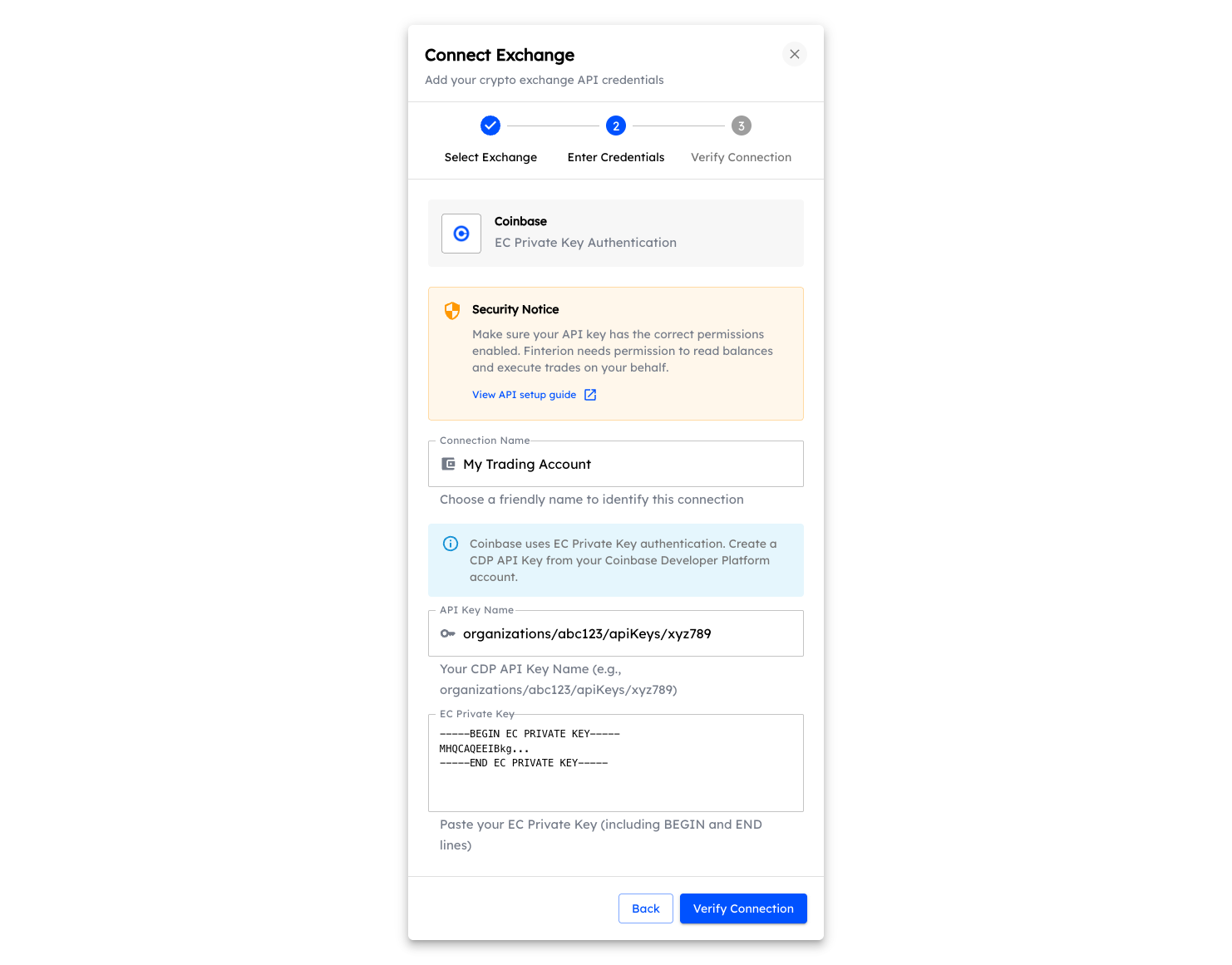
Step 3: Verify connection
The platform will verify your credentials and establish a secure connection to your account.
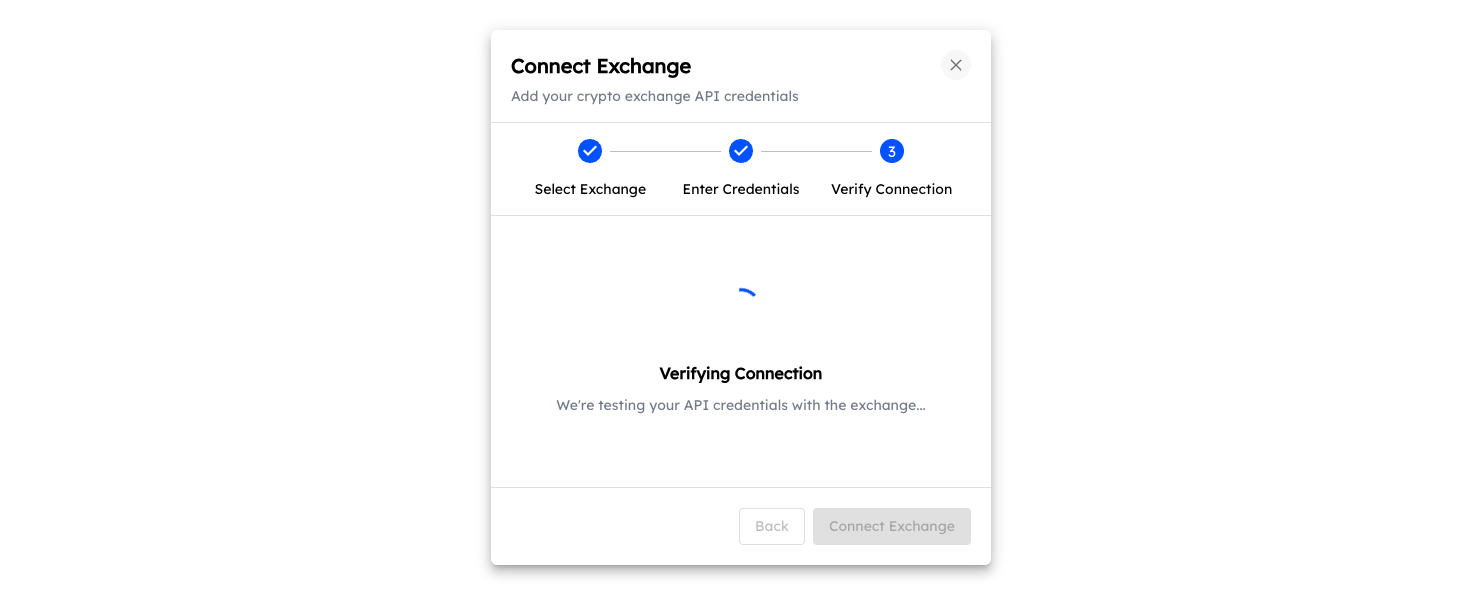
Success! Your exchange is now connected.
If there's an issue with your credentials, you'll see an error message with details on how to resolve it.
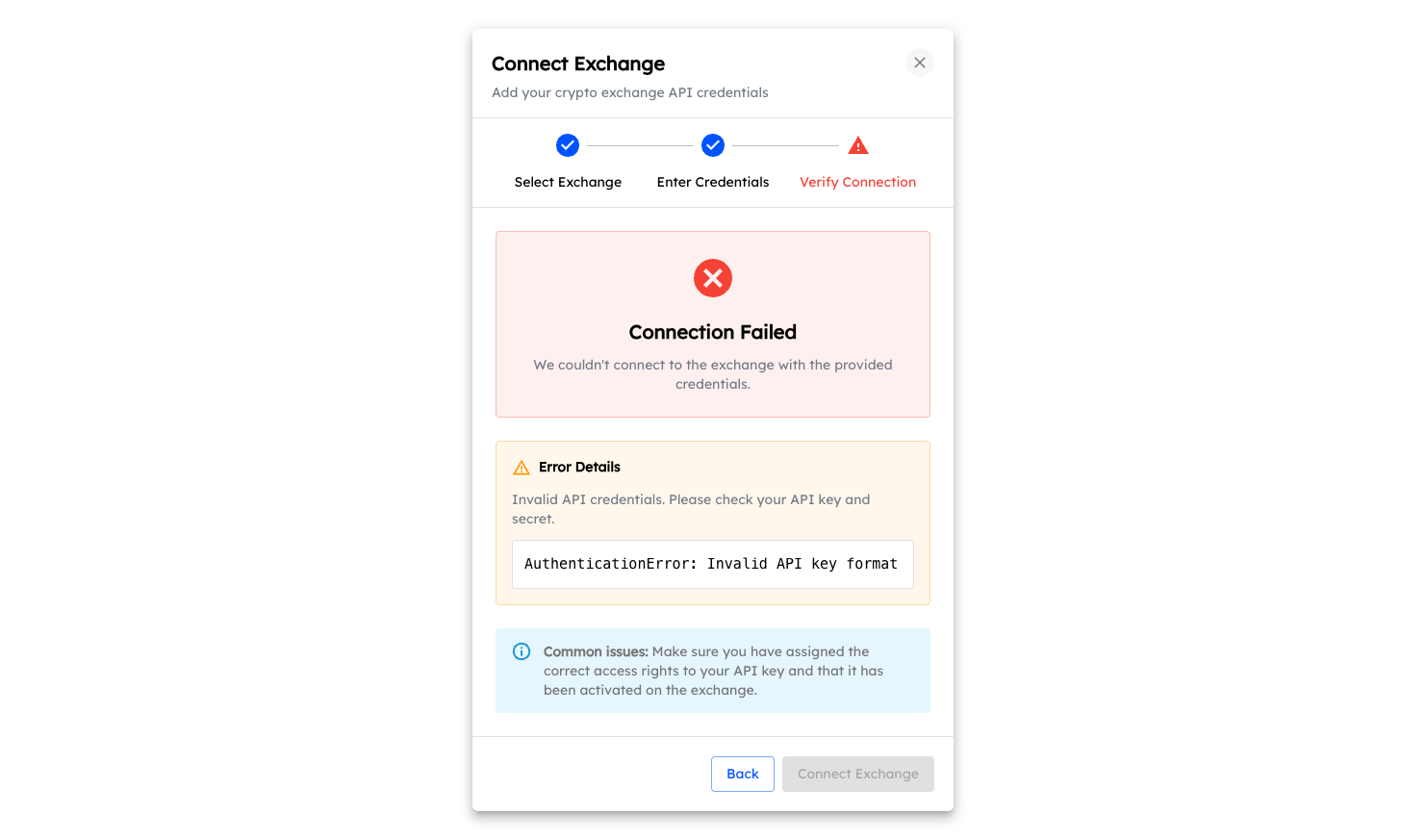
C. Connect and activate your algorithm
Now that you've purchased an algorithm and connected your exchange, it's time to link them together. This final step allows the algorithm to start trading on your behalf.
Navigate to your dashboard
Head over to your dashboard where you'll see an overview of your portfolio and connected services. Look for the "Connect a bot" widget—this is where you'll link your purchased algorithm to your exchange account.
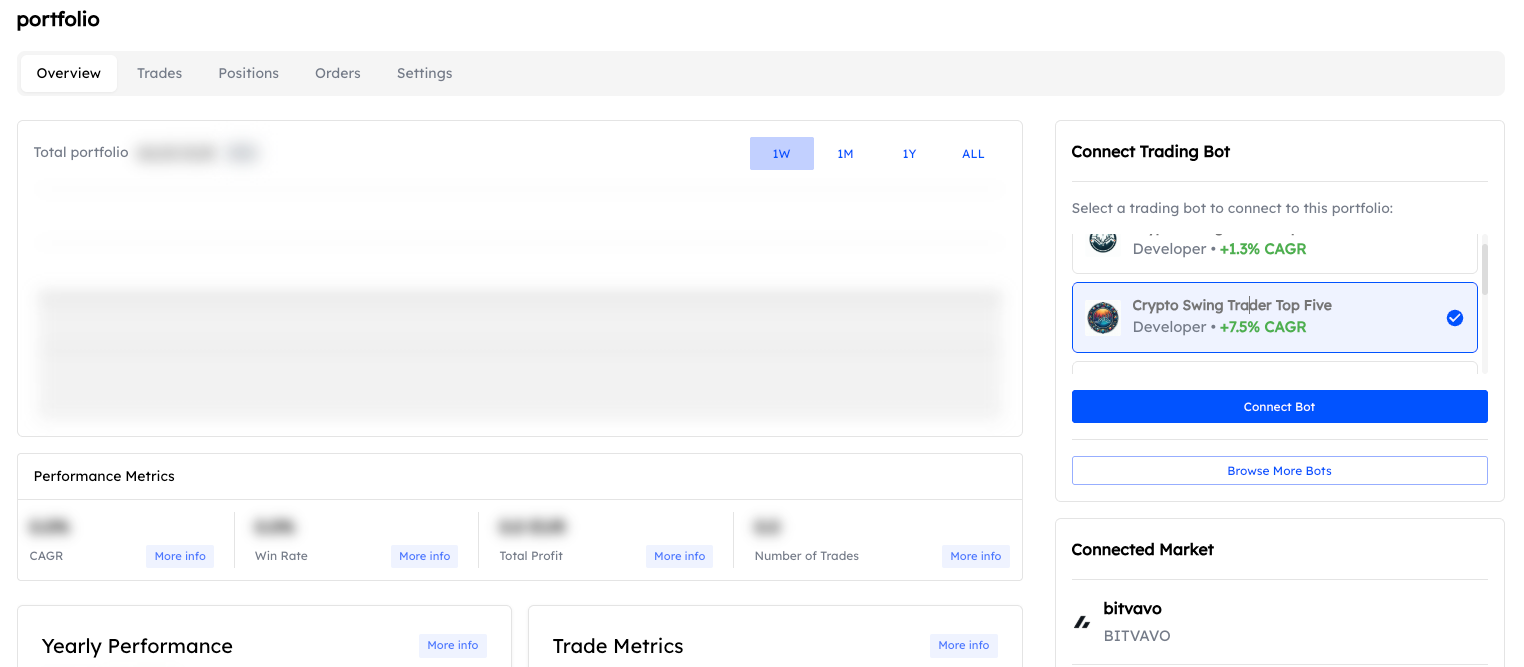
Click on the "Connect a bot" button to begin the connection process. This will open the algorithm connection wizard that guides you through the remaining steps.
Review the terms and risks
Before connecting a trading bot for the first time, you'll be presented with an important disclaimer. This outlines what the algorithm will do on your behalf and the associated risks.
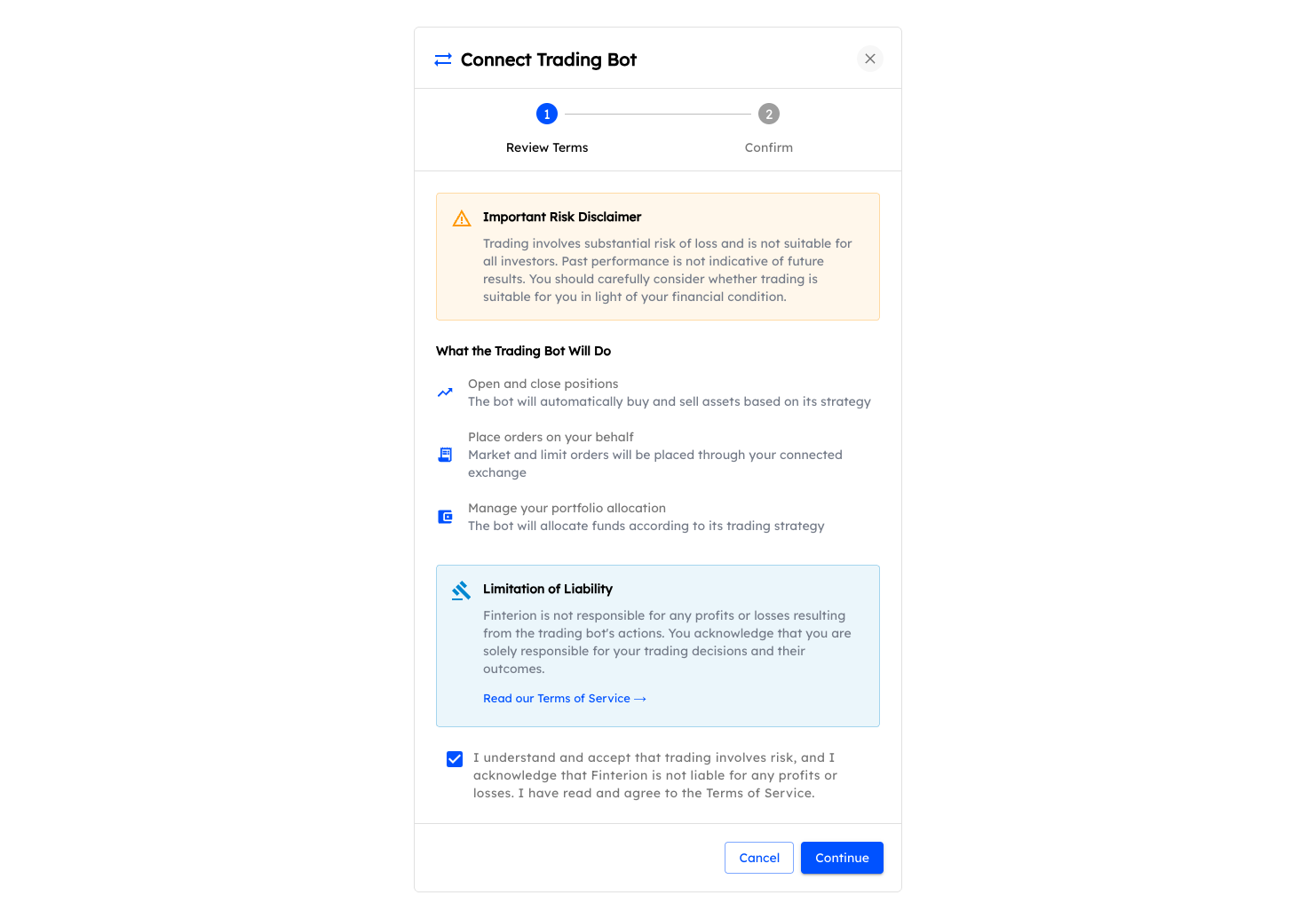
The disclaimer covers:
- What the trading bot will do — The algorithm will automatically open and close positions, place orders, and manage your portfolio allocation based on its strategy.
- Risk disclaimer — Trading involves substantial risk of loss. Past performance is not indicative of future results.
- Limitation of liability — You acknowledge that you are solely responsible for your trading decisions and their outcomes.
Take time to read through this information carefully. Once you understand and accept the terms, check the acknowledgment box and click Continue to proceed.
Switching between algorithms
If you already have an algorithm connected and want to switch to a different one, the platform will guide you through the transition process.
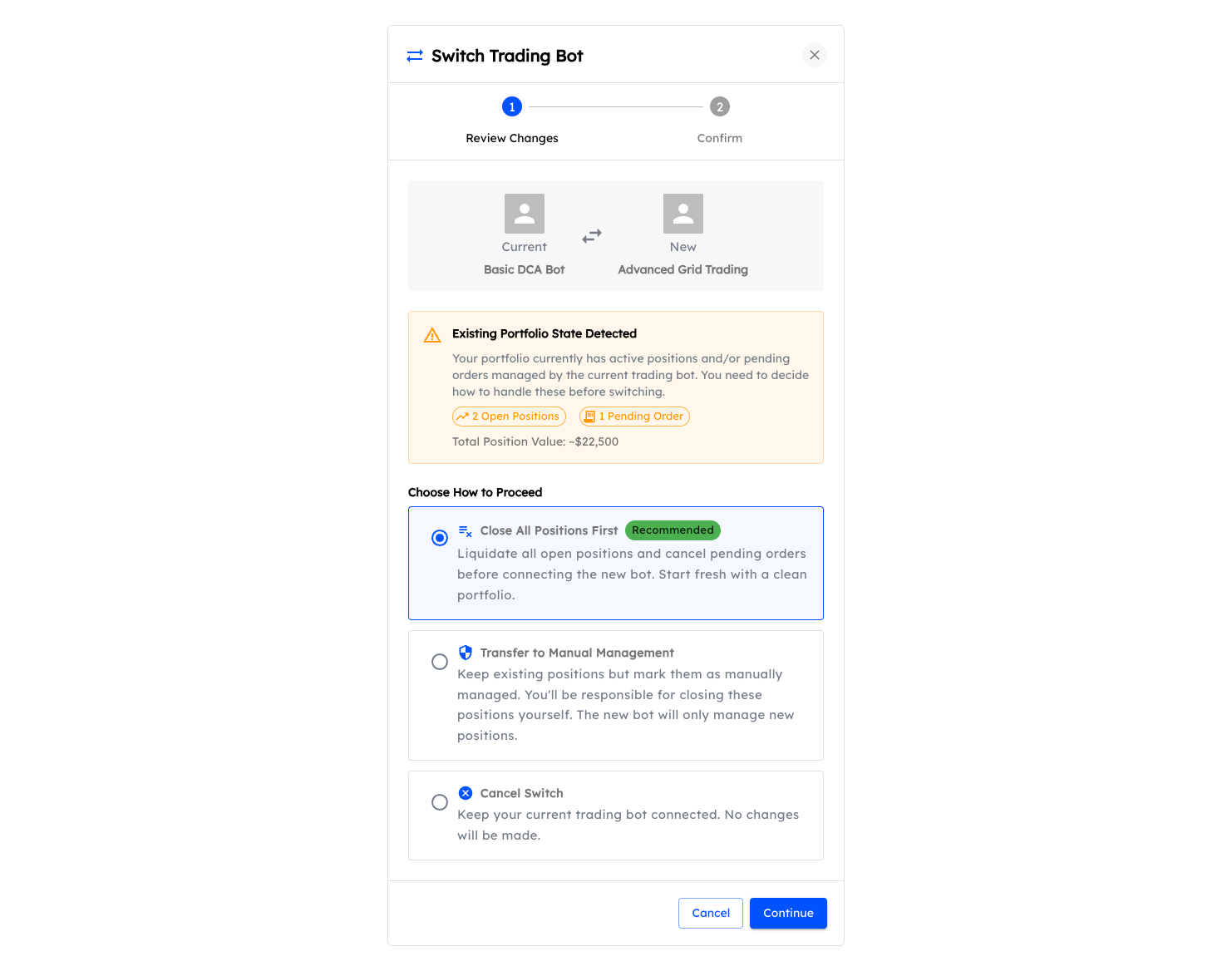
When switching algorithms, you may have existing open positions and pending orders from your current bot. The platform gives you options to handle these:
- Close all positions first (Recommended) — Liquidate all open positions and cancel pending orders before connecting the new bot. This gives you a fresh start.
- Transfer to manual management — Keep your existing positions but mark them as manually managed. You'll be responsible for closing these yourself, while the new bot only manages new positions.
Choose the option that best fits your situation and click Continue to complete the switch.
Start trading
Once connected, your algorithm will begin analyzing the market and executing trades according to its strategy. You can monitor its activity in real-time from your dashboard, where you'll see:
- Current positions and their performance
- Recent and pending orders
- Overall portfolio value and growth
Congratulations! You're now set up and ready to let the algorithm work for you. Remember to check in periodically to monitor performance and adjust your settings as needed.
About the Author
Marc van Duyn
Founder & CEOMarc is the Founder and CEO of Finterion. He is passionate about making algorithmic trading accessible to everyone.
Share this article
Related Documentation
Table of Contents
Get started in 3 steps
A. Purchase an investing algorithm from the store
B. Connect your broker or exchange
C. Connect and activate your algorithm
About the Author
Marc van Duyn
Founder & CEOMarc is the Founder and CEO of Finterion. He is passionate about making algorithmic trading accessible to everyone.